
RTX Spark Laptop Comparison: MSI vs ASUS vs HP vs Surface
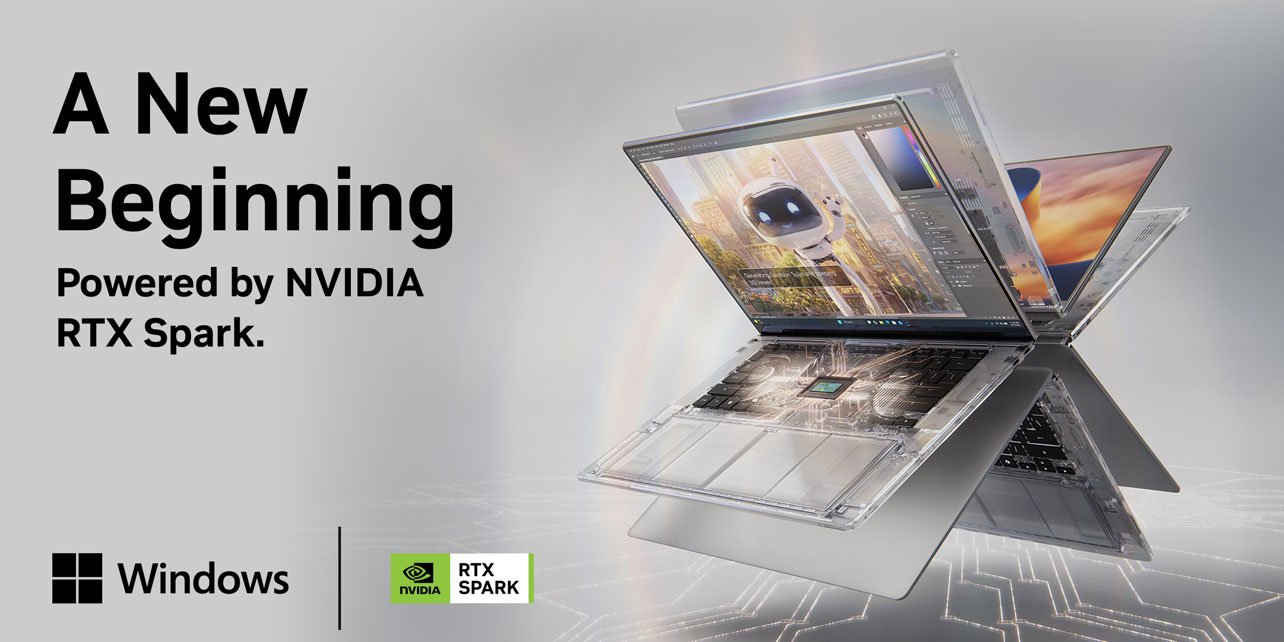
If you’ve followed laptop news this fall, you’ve seen the name RTX Spark everywhere. NVIDIA, long known for graphics cards, is now selling a complete processor-and-graphics platform for Windows laptops, and the first machines from MSI, ASUS, HP and Microsoft are arriving now. The pitch is simple: one chip, one shared pool of memory, and enough AI performance to run large models locally in a thin laptop that also handles creative work and gaming.
That’s a big claim, and the four laptops we stock make very different trade-offs. This RTX Spark laptop comparison explains what the platform is, how the four models differ, who each one suits, and what to check before you buy. Our prices run from $2,449.99 to $6,449.99, and the right choice depends far more on memory, storage and screen than on the badge on the lid.
What is RTX Spark?
RTX Spark is NVIDIA’s platform for Windows laptops and compact desktops. Instead of pairing a separate processor with a separate graphics card, it combines an N1X processor and a Blackwell RTX GPU in a single package. The CPU and GPU draw from one shared pool of unified memory, and the chip is designed to run at up to 80 watts.
There are two versions. The top configuration has a 20-core CPU and a 6,144-core Blackwell GPU, with memory options up to 128GB. The second has an 18-core CPU and a 5,120-core GPU, and it’s limited to laptops with 24GB or 32GB of memory. Three of our four laptops use the top configuration. The HP OmniBook X 14 uses the second.
RTX Spark also ends Qualcomm’s exclusivity on Windows on Arm, which brings a major new chip vendor into the ecosystem. That matters for software support over time, because developers now have more reason to build and optimize for Arm-based Windows PCs.
RTX Spark laptops Comparison at a glance
| MSI Prestige N16 Flip AI+ | ASUS ProArt P14 | HP OmniBook X 14 | Surface Laptop Ultra 15 | |
|---|---|---|---|---|
| Our price | $3,299.99 | $6,449.99 | $2,449.99 | $3,549.99 |
| Regular price | $3,499.99 | $6,999.99 | $3,299.99 | $3,999.99 |
| Display | 16″ 2.8K 120Hz OLED | 14″ WQXGA+ 120Hz OLED | 14″ 3K 120Hz OLED | 15″ |
| CPU cores | 20 | 20 | 18 | 20 |
| GPU cores | 6,144 | 6,144 | 5,120 | 6,144 |
| Memory | 32GB LPDDR5x-9600 | 128GB LPDDR5x-9400 | 32GB LPDDR5x-9400 | 48GB |
| Storage | 1TB SSD | 1TB SSD | 2TB SSD | 1TB SSD |
Prices as of October 28, 2026 and subject to change.
RTX Spark Laptop Comparison: Comprehensive Breakdown
MSI Prestige N16 Flip AI+: best for flexibility ($3,299.99)
The Prestige N16 Flip AI+ is the 2-in-1 of the group, and it’s the most versatile of the four. Its 16-inch 2.8K OLED screen runs at 120Hz, and the 360-degree hinge lets you use it as a laptop, a tablet or a presentation display. MSI also bundles a Nano Pen for note-taking and sketching, which makes this the natural choice for people who draw, annotate documents or present to clients.
Under the hood, it pairs the top-tier 20-core chip with 32GB of fast LPDDR5x-9600 memory and a 1TB SSD. MSI lists a 99.9Wh battery with 140W USB-C fast charging, so it’s built to stay productive away from a desk.
At $3,299.99, down from $3,499.99, it’s also the lowest-priced way to get the full 20-core, 6,144-GPU-core configuration. The trade-off is memory: 32GB is plenty for most creative work and everyday AI tools, but it won’t hold the very large models the ASUS can.
See the MSI Prestige N16 Flip AI+

ASUS ProArt P14: best for heavy AI and creative workloads ($6,449.99)
The ProArt P14 is the one to buy when memory is the limit. It carries 128GB of LPDDR5x-9400 unified memory, four times the MSI and HP, in a compact 14-inch body with a WQXGA+ 120Hz OLED display. For a laptop you can carry in a shoulder bag, that’s workstation-class capacity.
That matters if you run large language models locally, work with long 4K or 8K video timelines, build complex 3D scenes, or process large datasets. Because the CPU and GPU share the same memory, a big project doesn’t have to be split between system RAM and a graphics card’s separate VRAM.
At $6,449.99, down from $6,999.99, it’s the most expensive laptop on this page by a wide margin, and the memory is what you’re paying for. If your work fits comfortably in 32GB or 48GB, you’ll get most of the performance for much less. If it doesn’t, nothing else here comes close.

HP OmniBook X 14: best for storage and value ($2,449.99)
The OmniBook X 14 is the most affordable RTX Spark laptop we sell, at $2,449.99, which is $850 below its regular price of $3,299.99. It uses the second-tier configuration, with 18 CPU cores and 5,120 GPU cores, and 32GB of LPDDR5x-9400 memory.
What it gives up in chip size, it makes up for elsewhere. It has a 2TB SSD, double the storage of the other three, and a sharp 14-inch 3K 120Hz OLED display. That combination suits photographers, video editors, music producers and anyone who keeps large media libraries or project files on the machine.
The practical difference from the top-tier models is graphics and compute headroom. For editing, design, coding and everyday AI tools, the HP is more than capable. If you expect to push heavy 3D rendering or the biggest local models, the 20-core versions give you more room.

Microsoft Surface Laptop Ultra 15: best for a bigger screen ($3,549.99)
The Surface Laptop Ultra 15 is the large-screen option. It pairs the top-tier 20-core chip and 6,144-core GPU with 48GB of unified memory and a 1TB SSD, which makes it a middle ground between the MSI’s 32GB and the ASUS’s 128GB.
A 15-inch display gives you more working space for timelines, spreadsheets, code and side-by-side windows, and Microsoft’s premium Surface build is a draw for buyers who want a polished, business-ready machine. At $3,549.99, down from $3,999.99, it costs about $250 more than the MSI, and the extra 16GB of memory and larger screen are what you get for that.
Choose it if you spend long days at the laptop itself, rather than docked to an external monitor, and you want more memory than 32GB without paying for 128GB.
See the Surface Laptop Ultra 15

Why unified memory matters
On a traditional gaming or workstation laptop, the graphics card has its own memory, called VRAM. If an AI model or a 3D scene is bigger than that VRAM, performance drops sharply or the job fails. With RTX Spark, the GPU can use the whole pool of unified memory, so a laptop with 48GB or 128GB can load models and projects that would overflow most laptop graphics cards.
NVIDIA says the platform can run AI models of up to 120 billion parameters. Those are the upper range of what the 128GB configuration is built for, and the lower-memory models will run smaller ones. In practice, how much memory you need depends on what you run:
- Everyday AI tools, coding assistants and image generation: 32GB is usually enough.
- Larger local language models and heavy creative projects: 48GB gives you comfortable headroom.
- The biggest local models and very large professional projects: 128GB is the point of the ProArt P14.
Memory in these machines is soldered to the board, so you can’t upgrade it later. Buy the amount you’ll need over the laptop’s life, not just today.
Windows on Arm and gaming: what to know
RTX Spark laptops run Windows on Arm, not the x86 version most people are used to. Mainstream apps, browsers and Microsoft 365 work well, and Windows can run many x86 programs through emulation. Some specialized software, older drivers and games with certain anti-cheat systems can still be a problem, so check the specific programs you depend on before you order.
For gaming, NVIDIA has promised 1440p at up to 100 frames per second, but that figure relies heavily on DLSS frame generation, so treat it as a best case. These are capable creative and AI laptops that can also play many games, not dedicated gaming machines. If gaming is your main use, a traditional gaming laptop or desktop is likely a better value.
Which RTX Spark laptop should you buy?
- Largest AI models and heaviest creative work ($6,449.99): ASUS ProArt P14.
- A convertible with a big screen and pen support ($3,299.99): MSI Prestige N16 Flip AI+.
- Lots of storage on the lowest budget ($2,449.99): HP OmniBook X 14″.
- A larger display with mid-range memory ($3,549.99): Surface Laptop Ultra 15″.
Frequently asked questions
Are RTX Spark laptops good for AI?
Yes. The shared memory and Blackwell GPU are built for running AI models locally, and the ASUS ProArt P14’s 128GB is aimed squarely at large ones.
Can I upgrade the memory later?
No. The memory is part of the platform and can’t be changed after purchase, so choose your configuration carefully.
Do RTX Spark laptops run all Windows software?
Most mainstream apps run well. Some specialized programs, drivers and anti-cheat games may not, so verify the ones you rely on.
Which RTX Spark laptop is the best value?
The HP OmniBook X 14 has the lowest price and the most storage. The MSI Prestige N16 Flip AI+ is the cheapest way to get the full 20-core chip.
Do you ship internationally?
We ship to many regions. Customs duties and taxes are the buyer’s responsibility, and delivery times vary. See our Shipping & Returns page for details.
Ready to choose?
Browse our full RTX Spark laptop collection, or carefully read this RTX Spark Laptop Comparison guide and contact us so we can help you pick the right model for your workload.
